Card collection

Scan and save your cards.

Match each English Pokemon card on-device, keep every saved copy on your device, and refresh live listing snapshots when available.

Saved locally On this device
Each copy Photo, note, condition
No account In this release
Download on the App Store
Android Store link soon

Current release: English Pokemon raw singles, one card at a time. Live listings are browse evidence when available.

How it works

From scan to saved copy in three steps.

  1. Scan one English Pokemon raw single card.
  2. CardFit matches it on-device before it offers Collection or pricing.
  3. Save the matched card with its local photo, note, condition, and latest listing snapshot when available.

What Collection keeps

One matched card can still mean more than one physical copy.

Per copy
Photo, note, condition, and saved time.
Grouped cards
Duplicate copies stay grouped by card and finish.
Listings
Snapshots can be refreshed when current listings are available.
No account
Everything stays local-first in this release.
Scope

Stay inside one clear lane.

CardFit is for English Pokemon raw singles, one card at a time, so it can stop honestly instead of pretending broad support.

Collection

Keep the card you actually scanned.

Each saved copy can keep its own local photo, note, and condition instead of collapsing everything into one generic entry.

Listings

Review snapshots without calling them appraisals.

Current listings are browse evidence only. CardFit does not pretend they are a final sold-value answer.

Download

Available now on the App Store.

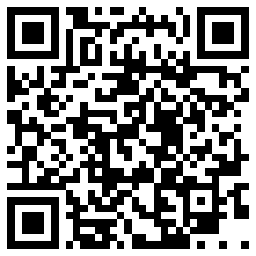
CardFit is live for iPhone and iPad. Open the store page directly or scan the QR code on another device. The Android release is not live yet.

App Store CardFit Scanner

Free on the App Store

Utilities · Version 1.0.1 · iOS 15.1+

Open App Store
QR code to open CardFit Scanner in the App Store Scan to open
Google Play Android phones

Not live yet

The Android store link will appear here when that release is ready.